

Retirement Tax Planning Software: Optimize Your Retirement Income and Minimize Taxes

Retirement tax planning software is a specialized class of financial planning tools designed to model taxes, withdrawals, and long-term income to maximize after-tax retirement income. These platforms analyze taxable events across account types—such as 401(k)s, IRAs, brokerage accounts, pensions, and Social Security—and project how different actions (for example, Roth conversions or withdrawal sequencing) affect lifetime tax liability and cash flow.
The core problem is simple: taxes can erode retirement income unpredictably, and software provides systematic testing of strategies so retirees can make informed, measurable choices. This article explains the key features to expect, how Roth conversion modules work, how retirement income tax calculators guide tax-efficient withdrawals, which software categories suit different users, and why state-specific tax modeling matters for migration or residency decisions. Throughout, you will find practical examples, semantic explanations (entity → relationship → entity), comparison tables, and checklists to evaluate tools that support tax-efficient retirement decisions.
What Are the Key Features of Retirement Tax Planning Software?
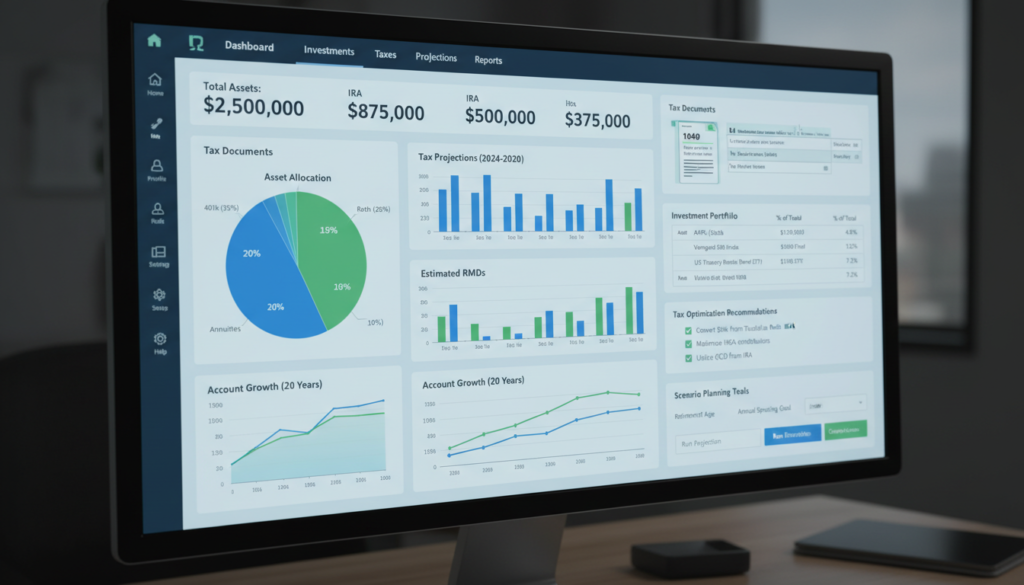
Retirement tax planning software bundles several capabilities that collectively identify tax-saving opportunities and optimize distribution strategies for retirees. At a high level, these tools ingest account balances and income sources, model tax rules and required minimum distributions, and produce year-by-year projections of taxable income and after-tax cash flow. The primary value is clarity: software converts complex tax rules into quantifiable outputs so users can compare alternatives such as partial Roth conversions, delaying Social Security, or altering withdrawal sequencing.
Below are the core feature categories that most effective solutions include and why each matters for tax efficiency.
Retirement tax planning software commonly includes these five essential features:
- Roth conversion modeling: Simulates partial and multi-year conversions to evaluate present-tax cost versus future tax-free growth.
- RMD scheduler and calculator: Automatically computes required minimum distributions and tests strategies to reduce their tax impact.
- Monte Carlo and scenario simulators: Produces probabilistic retirement income outcomes to stress-test tax-sensitive plans.
- Account aggregation and tax-aware integrations: Imports 401(k), IRA, brokerage, pension, and Social Security inputs for realistic projections.
- Reporting and exportable tax summaries: Generates advisor-ready or tax-filer reports showing tax projections and recommended actions.
These features work together to create clear decision points for retirees, and understanding them prepares you to evaluate specific tools based on depth of modeling and ease of use. The next subsection explains how tax optimization actually enhances retirement outcomes by shifting the timing and character of taxable events.
Different providers implement these features with varying depth, so the following table compares typical capability levels you should expect when evaluating a product.
Introductory comparison of how feature capabilities differ across solutions and what that implies for decision-making.
| Feature | Typical Capability Range | Practical Benefit |
|---|---|---|
| Roth conversion tool | Single-year or multi-year, partial/full conversions | Quantifies tax cost vs. long-term tax-free growth |
| RMD scheduler | Age-based RMD calculations, aggregation rules | Helps minimize surprise taxable income spikes |
| Monte Carlo simulator | Probabilistic return scenarios, downside stress tests | Tests plan resilience under market volatility |
This table clarifies which capabilities directly support tax-sensitive decisions and helps you prioritize features when choosing software. Understanding these feature differences sets up a discussion of the mechanics of tax optimization and how software identifies opportunities.
How Does Tax Optimization Enhance Retirement Planning?

Tax optimization in retirement centers on timing and sourcing withdrawals to minimize lifetime taxes while preserving spending power. Software identifies the relationship: account balances → timing decisions → tax outcomes, and then quantifies the benefit of alternatives such as converting part of a traditional IRA to a Roth IRA in low-income years. By projecting marginal tax rates, taxable Social Security, and the effect of RMDs across decades, these tools reveal when a small upfront tax payment yields greater after-tax wealth later.
For example, converting during a market dip can lock in tax-paid balances that grow tax-free, which software models as a break-even horizon indicating when the conversion pays off. This mechanistic clarity helps retirees choose strategies aligned with their risk tolerance and estate objectives.
More advanced platforms use optimization routines that propose conversion amounts and years to minimize net present value of lifetime taxes subject to constraints like current cash needs and Medicare IRMAA impacts. These algorithmic suggestions reduce guesswork and provide defensible, tax-aware plans for advisors and individual users. The following section explains the scenario planning modules that enable this level of analysis.
What Scenario Planning Tools Are Included in the Software?
Scenario planning tools give retirees the ability to test “what-if” alternatives and see tax and cash-flow consequences across many plausible futures. Typical tools include Monte Carlo simulations for market variability, deterministic multi-year projections for conversion schedules, and stress tests for sequence-of-returns risk. Users can customize assumptions—expected returns, inflation, filing status, and healthcare costs—and then compare outcomes such as probability of meeting spending goals or projected lifetime tax paid. Scenario outputs often include year-by-year tables, charts of after-tax income, and sensitivity analyses that show which assumptions most affect tax outcomes.
Scenario planning is valuable because it shifts decisions from intuition to data-driven trade-offs; for example, software can compare converting $50,000 over three low-income years versus waiting and facing higher marginal rates after RMDs begin. By presenting both the mean and downside scenarios, these tools help prioritize robust strategies rather than single-point forecasts. Having explored scenario planning, we next describe how Roth conversion modules use these tools to maximize tax efficiency.
How Can Roth Conversion Strategies Software Maximize Your Tax Efficiency?
Roth conversion strategy modules help model the immediate tax cost of converting pre-tax retirement assets into Roth accounts and balance that cost against the long-term benefit of tax-free withdrawals. Software quantifies the key relationship: pre-conversion taxable income → conversion amount → post-conversion tax impact, and projects after-tax balances over time so you can determine break-even years. The direct value is the ability to compare partial versus full conversion strategies, incorporate expected returns and lifespan, and identify windows (low-income years, market dips) where conversions make fiscal sense.
Roth conversion modeling typically follows three pragmatic steps that software automates and clarifies:
- Input current balances and income projections: Software ingests IRA/401(k) balances, expected distributions, and other income to establish pre-conversion tax baselines.
- Simulate conversion amounts and timing: Run scenarios for single-year, multi-year, or partial conversions to see short-term tax bills and long-run after-tax balances.
- Compare outcomes and break-even: Evaluate projected tax-free growth against the tax paid now to show when the conversion becomes net positive.
These steps allow both advisors and individuals to test conversion pacing, quantify Medicare premium and IRMAA effects, and choose the route that minimizes lifetime taxes while supporting cash-flow needs. The next subsection gives practical guidance on when conversions are most appropriate.
When Should You Consider a Roth Conversion?
Consider a Roth conversion when your current marginal tax rate is meaningfully lower than your expected future marginal rate, or when specific events create windows of low taxable income. Typical triggers include a year of reduced earnings, substantial deductible losses, a market correction that lowers account balances, or anticipated increases in future tax rates due to policy changes. Another common rationale is estate planning: converting early can increase tax-free assets passed to heirs and reduce future RMD-driven tax spikes. Software helps formalize these triggers by projecting long-term tax scenarios and showing conversion break-even points.
Decision checklists within tools often include:
- Current vs. projected marginal rate comparison
- IRMAA/Medicare considerations
- Cash-on-hand to pay the conversion tax without disrupting lifestyle
By embedding these criteria into scenario analysis, software reduces the risk of ad hoc conversions that fail to deliver long-term benefit. The following subsection walks through how software calculates the tax impact step by step.
How to Calculate the Tax Impact of Roth Conversions Using Software?
Calculating conversion impact requires a set of inputs and an interpretation framework; software streamlines this workflow into clear outputs. Essential inputs include current account balances, expected pre- and post-conversion growth rates, filing status, other taxable income for the conversion year, and anticipated future tax brackets. The software then outputs the projected tax owed for the conversion year, the effect on marginal tax brackets, and the after-tax value trajectory of converted assets under tax-free growth assumptions.
A simple stepwise example clarifies interpretation: enter a $100,000 IRA balance, specify a $20,000 conversion in Year 1, include expected salary and Social Security, and run a multi-year projection; the tool reports the current-year tax bill, the marginal rate bump, and the projected after-tax value at 10, 20, and 30 years. Comparing different conversion schedules in the software shows the break-even horizon and the present-value difference in lifetime taxes, enabling objective selection of conversion pacing. To illustrate possible modeled scenarios and outputs, the table below contrasts sample conversion scenarios and their projected tax outcomes.
Introductory note: the table models hypothetical scenarios to show how software outputs can be interpreted; numbers are illustrative of modeling outputs rather than prescriptive advice.
| Scenario | Attribute Modeled | Value / Output |
|---|---|---|
| Partial conversion in low-income year | Pre-conversion tax rate vs. post | Lower present tax, earlier tax-free growth |
| Multi-year staged conversion | Yearly tax owed / marginal-rate impact | Smoother tax liability, reduces bracket creep |
| Full conversion before RMDs | Long-term after-tax balance | Eliminates future RMD-driven taxable spikes |
This scenario table demonstrates how software helps compare alternatives by turning conversions into measurable trade-offs, and it sets up the next major topic: using retirement income tax calculators to coordinate withdrawals.
How Does Retirement Income Tax Calculator Help in Planning Tax Efficient Withdrawals?

A retirement income tax calculator sequences withdrawals across taxable, tax-deferred, and tax-free buckets to minimize lifetime taxes and sustain spending goals. Such calculators model the interaction: withdrawal sequence → marginal tax rate changes → Social Security taxation and Medicare premium impacts, producing annual tax owed and net spendable income. The key benefit is the ability to test withdrawal rules—taxable first vs. tax-deferred first vs. preserving Roths—and select the approach that maintains spending while reducing lifetime taxes. Calculators also show how withdrawals affect thresholds for Social Security taxation and Medicare IRMAA, enabling a coordinated plan.
Practical benefits of retirement income tax calculators include these three concrete outcomes:
- Optimized withdrawal order: Determines whether drawing from brokerage, traditional accounts, or Roths yields lower lifetime tax.
- RMD planning visibility: Shows future RMDs and how pre-RMD Roth conversions or charitable distributions change tax curves.
- Social Security coordination: Evaluates claiming ages against withdrawal choices to minimize combined taxes and maximize after-tax cash flow.
By delivering year-by-year projections and sensitivity analysis, calculators convert complex sequencing decisions into actionable plans. The following subsection explains RMDs and optimization tactics in more detail.
What Are Required Minimum Distributions and How to Optimize Them?
Required Minimum Distributions (RMDs) are mandated withdrawals from certain tax-deferred accounts that begin at specified ages and are calculated based on account balances and life expectancy tables. Software computes RMDs by applying current IRS distribution factors to projected balances and simulates their tax impact on annual income. Optimization tactics modeled by software include executing Roth conversions before RMDs begin, using qualified charitable distributions (QCDs) to reduce taxable income while satisfying charitable goals, and leveraging partial conversions to smooth taxable income over time.
An example optimization might show that converting modest amounts over several years before RMD onset reduces future RMDs and the tax on Social Security benefits; software quantifies both the upfront tax paid and the long-term tax reduction to illustrate net value. Understanding RMD mechanics in software prepares users for the coordination issues with Social Security that follow.
How to Coordinate Social Security Benefits with Other Retirement Income?
Social Security benefits can be partially taxable depending on provisional income, which includes half of Social Security plus other income sources; software models how additional withdrawals or conversions change provisional income and therefore Social Security taxation. Tools compare claiming ages—early vs. delayed—and illustrate the trade-off between larger delayed benefits and higher taxable income arising from other disbursements. Software can also simulate combined scenarios where delaying Social Security while performing Roth conversions yields a tax-efficient balance between guaranteed income and tax-free assets.
For instance, delaying benefits until full retirement age or later increases the monthly benefit but may push a retiree into higher provisional income bands if paired with large withdrawals; software identifies such interactions and suggests timing adjustments. This coordination logic links directly to the choice of software platform, which we address next by categorizing options and offering a buyer checklist.
Which Are the Best Retirement Planning Software Options for Individuals?
Choosing the right retirement tax planning software depends on user needs: simplicity for DIY retirees, deeper tax modeling for pre-retirees, or extensive multi-entity capabilities for high-net-worth households. Evaluation criteria that matter most include the depth of tax modeling (Roth conversions, RMDs, state taxes), account integration ease, reporting quality, and whether the tool supports advisor collaboration or is geared to individual DIY workflows. A balanced selection approach matches the software category to user complexity and comfort with financial modeling.
Below is a concise buying checklist to help match software categories to user needs:
- Budget and pricing transparency: Ensure cost aligns with frequency of use and need for advisor support.
- Modeling depth: Verify support for Roth conversion scenarios, RMD scheduling, and Monte Carlo simulations.
- Account connectivity: Look for robust aggregation of 401(k), IRA, brokerage, pension, and Social Security data.
- Usability and reporting: Confirm clear, exportable tax reports and advisor-ready summaries for tax-filing or collaboration.
To help compare categories and typical attributes, the table below provides a simple EAV-style comparison of software types tailored to individuals.
Introductory note: categories are illustrative to guide selection between DIY, pre-retiree tools, and high-net-worth solutions; specifics vary by provider.
| Software Type | Ideal User / Price Tier | Key Features |
|---|---|---|
| DIY Tools | Individual, lower-cost tiers | Simple inputs, Roth/RMD calculators, basic Monte Carlo |
| Pre-retiree / Advisor-lite | Pre-retirees, moderate price | Deeper tax modeling, scenario planning, exportable reports |
| HNW / Advisor-Focused | High-net-worth, premium tiers | Multi-entity modeling, estate & charitable strategies, detailed tax optimization |
This table helps place products into categories so you can shortlist candidates based on your complexity needs and budget. The next two subsections dive into what DIY users should prioritize and how solutions adapt for high-net-worth retirees.
What Features Should You Look for in DIY Retirement Tax Planning Tools?
DIY users need tools that minimize data-entry friction while offering clear tax-aware outputs; essential features include easy account import, guided input wizards, built-in calculators (Roth, RMD, withdrawal sequencing), and straightforward visualizations of after-tax income. Prioritizing simplicity reduces the chance of input errors that can distort projections, while exportable summaries help if you later consult a tax professional. The user experience should balance guidance with transparency so the tool explains assumptions behind suggested strategies.
Checklist for DIY selection:
- Simple data entry and aggregation: Reduces errors and speeds setup.
- Clear tax outputs and visuals: Helps non-experts interpret results confidently.
- Educational content and scenario presets: Provides context for choices and common triggers.
Clear outputs make it practical for individuals to act on software recommendations or share projections with advisors. Next, we examine the advanced capabilities HNW retirees typically require.
How Do Software Solutions Cater to High-Net-Worth Retirees?
High-net-worth retirees require advanced features like multi-account and multi-entity modeling, estate-tax projections, tax-loss harvesting simulations, and granular charitable planning modules. Software designed for this audience often supports complex ownership structures, trusts, and business interests, and can model estate-tax thresholds, stepped-up basis effects, and charitable remainder trusts. These capabilities allow advisors and HNW clients to coordinate income, gifting, and legacy goals while minimizing overall tax drag.
Evaluation criteria for HNW tools include scenario fidelity (ability to simulate entity-level flows), tax rule coverage (estate, state, and international taxes where applicable), and reporting that meets fiduciary standards. Tools in this category typically integrate with custodial data feeds and provide detailed output for professional tax filing and estate discussions. Having reviewed product categories and selection guidance, the final section explains why state-specific rules must be part of any robust tool.
How Do State-Specific Features Influence Retirement Tax Planning Software?
State tax rules materially change retirement tax outcomes because states vary in how they tax pensions, Social Security, and retirement account distributions; software that models state-specific rules lets users test relocation trade-offs and plan withdrawals with state liabilities in mind. Accurate state modules incorporate state tax brackets, exemptions for retirement income, and unique rules (for example, whether Social Security is exempt). For retirees considering migration, state-aware modeling quantifies the tax benefit of moving versus potential costs like changes in property tax or cost of living.
State-specific functionality is also important for multi-state filers and those who split residency during the year; software should allow inputs for residency, income sourcing, and local deductions to avoid misleading projections. The next subsection summarizes high-level criteria for states that tend to be retirement-tax friendly and how to leverage software to model relocation scenarios.
Which States Are Most Retirement Tax Friendly?
States considered retirement-tax friendly typically have no state income tax or they offer exemptions for Social Security and pension income, combined with modest property taxes and low sales taxes. When evaluating state friendliness, consider the combined tax burden on common retirement income streams—pensions, distributions from IRAs/401(k)s, and Social Security—as well as property and healthcare costs. Software that models relocation scenarios should allow you to toggle state residency and compare after-tax spending power across candidate states.
Rather than exhaustive rankings, use these criteria to evaluate a state’s friendliness:
- State income tax presence and rate structure: No income tax or flat low rates favor retirees.
- Treatment of Social Security and pensions: Exemptions reduce taxable retirement income.
- Other cost factors: Property taxes, sales taxes, and healthcare costs affect net retirement budget.
A state-aware retirement planning tool helps quantify these trade-offs so relocation decisions are based on projections, not anecdotes. The final subsection explains how state income tax differences specifically affect pensions and Social Security.
How Do State Income Taxes Affect Pensions and Social Security?
State income tax rules determine whether pension income and Social Security benefits are taxable at the state level, which changes the effective after-tax value of these benefits depending on residency. Some states exempt Social Security entirely, while others tax it partially or fully; similarly, some states provide generous exemptions or deductions for pension income. Software that includes an accurate state tax module will adjust projected taxable income and tax owed year-by-year, enabling precise comparisons between staying in-state and relocating.
For correctness, validate software outputs against current state tax tables and consider edge cases like part-year residency or income sourced from another state; robust tools allow for multi-state inputs and generate combined tax liabilities. Using state-specific modeling in tandem with federal projections gives a complete view of retirement tax exposure and supports better-informed decisions about withdrawals, conversions, and migration.
This article has laid out the core features, strategies, and selection criteria for retirement tax planning software, providing structured lists, scenario tables, and implementation checklists to help you evaluate tools that turn tax complexity into actionable retirement plans.






3 Comments
Comments are closed.